
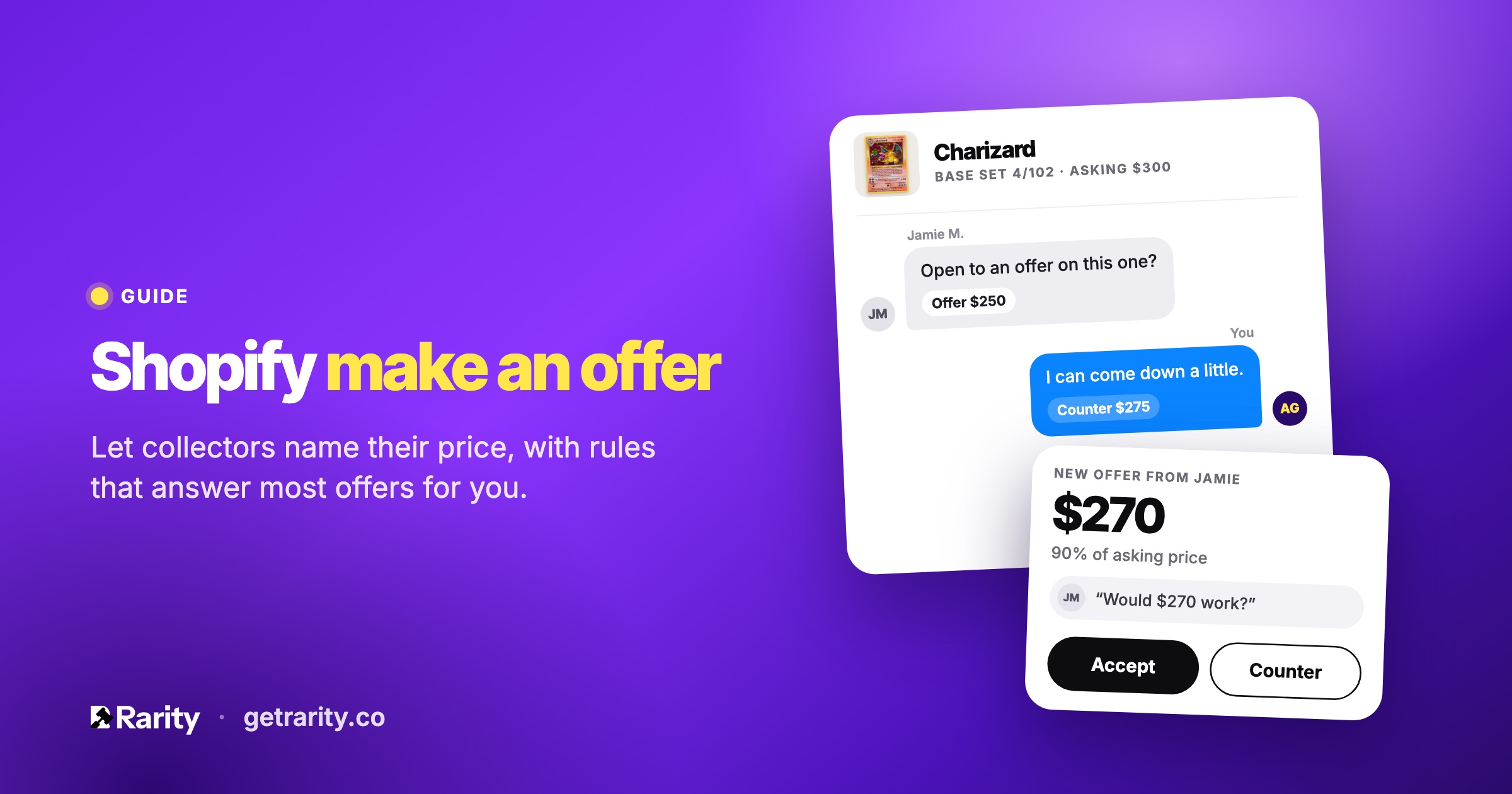
A fixed price is a guess. For one-of-a-kind pieces, a Make an Offer button lets a buyer tell you what they would pay, and lets you say yes, no, or counter, without a back-and-forth over email.
How a Make an Offer button works on Shopify
Shopify doesn't have an offer feature of its own, so the button comes from an app. With Rarity, you enable offers on a product, and a Make an Offer button appears on its page next to the regular price. A buyer taps it, enters an amount and an email address, and can add a short message.
The offer lands in your Offers list in the app. You accept it, decline it, or counter with a different amount. When an offer is accepted, Rarity creates a Shopify draft order at the agreed price and emails the buyer an invoice link. They pay through your normal checkout, and the order shows up in Shopify like any other sale.
Buyers don't need an account. The first offer from a new email address asks them to confirm it with a 6-digit code sent to that address, which keeps joke offers out.
Set rules so you aren't answering every offer
Answering every offer by hand gets old fast. Rarity lets you set two thresholds per listing, as a percentage of the list price:
- Auto-accept. Offers at or above this are accepted on the spot. The default is 95% of the list price.
- Auto-decline. Offers below this are declined on the spot. The default is 70%.
Anything in between waits for you. That middle band is where the real negotiation happens, and it's usually a small share of the offers you get. You also set how many offers each buyer can make on an item, 3 by default, so nobody can grind you down a dollar at a time.
A counter offer goes back to the buyer by email with a link to pay. Offers and counters expire after a window you choose, so you aren't holding a price open indefinitely.
Where to enable it
You can enable offers on individual products, on a whole collection, or on the Pro plan across your entire store. Each listing carries its own accept and decline rules, so a collection of prints can run tighter thresholds than a single original.
Offers also work alongside an auction. Turn on "Accept offers" when you set up an auction, and a collector who doesn't want to wait for the hammer can make an offer instead.
Keeping offers honest
Every buyer who makes an offer gets a risk score from email verification, rate limits and bid patterns, the same scoring Rarity applies to auction bidders. The Offers list shows the score next to each offer, and you can block a buyer from their collector page. Blocked buyers can't bid or make offers again.
What it looks like
The button is a theme app block, so you place it in the theme editor and style it from the app. The offer form opens as a pop-up or inline under the price. Start from one of four looks, then set fonts, button colours and corner radius so it matches the rest of your product page. A "Powered by Rarity" line shows on the Free plan and can be removed on Starter and Pro.
What it costs
Make an Offer listings are unlimited on every plan, including Free. The emails around them, offer replies, counters with a payment link, and your own alerts when an offer arrives, are part of Starter at $5 a month and Pro at $20 a month. Your first paid plan starts with a 7-day free trial. See the pricing section for the full comparison, or how that compares with Magical Make an Offer's per-order fees.
Questions
Do I have to accept an offer?
No. Every offer in the middle band waits for you, and you can decline or counter it. Only offers above your auto-accept threshold are accepted without you.
Can a buyer make more than one offer?
Yes, up to the limit you set per item. The default is 3.
How does the buyer pay?
An accepted offer becomes a Shopify draft order at the agreed price. The buyer gets an invoice link by email and pays through your checkout.
Does the price on the product page change?
No. The list price stays as it is. The offer only sets the price on that buyer's draft order.
Still unsure? Ask us; we answer within one business day.
 Install on Shopify