
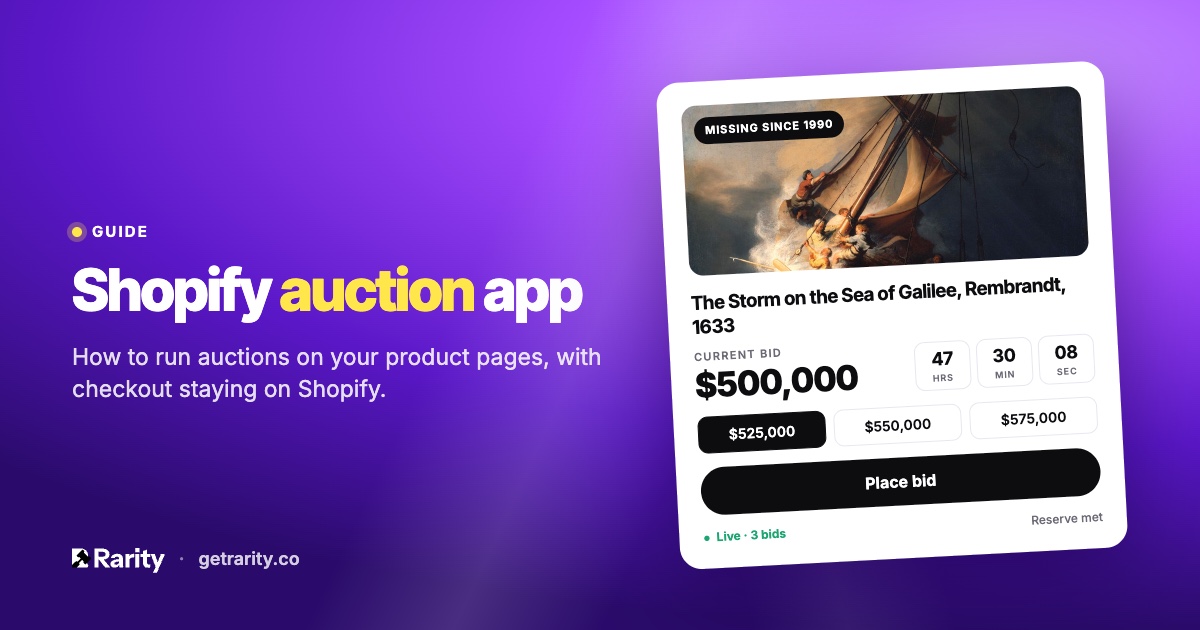
Shopify has no built-in auctions. A Shopify auction app adds bidding to your product pages, keeps checkout on Shopify, and handles the parts you would otherwise do by hand: counting bids, closing on time and invoicing the winner.
What a Shopify auction app does
An auction app turns a normal product into a timed listing. Instead of an Add to cart button, the product page shows the current bid, a countdown and a bid form. When time runs out, the highest bidder wins and pays through your store's own checkout.
That last part matters. Shopify handles payment, taxes, shipping and fulfilment for every order. A good auction app leaves all of that alone and only adds the bidding in front of it. In Rarity, a win becomes a Shopify draft order, and the winner gets an invoice link by email. You see the sale in Shopify like any other.
Auctions suit products where the market sets the price better than you can: original artwork, graded cards, vintage pieces, one-off prints, estate items. For an item with ten eager buyers, a fixed price either leaves money on the table or scares off nine of them.
What to look for before you install one
Auction apps vary a lot. These are the questions worth asking:
- Does checkout stay on Shopify? If the app takes payment itself, you lose Shopify's tax, fraud and payout handling, and the sale doesn't appear in your reports.
- Is there proxy bidding? Collectors should be able to enter the most they would pay and let the app bid for them, one increment at a time. Without it, bidders have to sit by the page.
- Does a late bid extend the clock? Called anti-sniping. A bid in the final minutes pushes the end time out, so a last-second bid doesn't end the auction before anyone can respond.
- Can you set a reserve and a Buy now price? A reserve protects you from selling below cost. Buy now lets a collector end the auction instantly at a price you set.
- How does it handle bad bidders? Look for email verification before the first bid, rate limits, and some way to spot shill bidding and block people.
- Does it email bidders? Outbid alerts bring bidders back. Winner emails with a payment link close the sale. Without them, you're chasing people by hand.
- Does it fit your theme? The widget sits on your product page, so it should match your fonts and colours rather than look pasted in.
How an auction runs in Rarity
Rarity is a theme app extension, so the auction widget is a block you add to your product template once in the theme editor. After that, every auction shows up on its product page automatically.
- Pick a product. One item, every product in a collection, or on the Pro plan your whole store as one event. Products with one variant work; products with a choice of sizes or formats don't, because an auction sells one item.
- Set the rules. Starting price, bid increment, an optional reserve and Buy now price. Choose a duration of 1, 3, 5, 7 or 10 days, or set your own start and end.
- Choose how shoppers can buy. "Auction only" hides the regular Add to cart while the auction runs, so bidding and Buy now are the only ways to buy. "All payments" keeps Add to cart alongside the auction.
- Launch. The block shows the current bid, bid count and countdown. Collectors bid with an email address; no customer account is needed. Their first bid asks them to confirm the address with a 6-digit code, entered right in the widget.
While it runs, late bids extend the end time by 2 minutes by default, up to a limit you set. Collectors can set a max bid and let Rarity bid for them. When it ends, the winner gets a checkout link and 48 hours to pay. If they don't, the item can go to the runner-up as a second-chance offer.
Penny auctions and other formats
Most auctions use increments of a few dollars or more. Rarity also allows penny auctions, where bids rise in very small steps. They draw attention, and they draw bots, so penny auctions require email verification on every bid and cap the increment. There are no bid fees on any plan.
If you'd rather negotiate than auction, Rarity's Make an Offer button can run alongside an auction or on its own. And for timed releases without bidding, see limited edition drops.
What it costs
Rarity's Free plan runs 3 active auctions at a time, with Buy now, reserve prices, penny auctions and the widgets included. Starter is $5 a month for 25 active auctions and adds the emails: bid confirmations, outbid alerts, winner and payment reminders, second-chance offers and your own activity alerts. Pro is $20 a month for unlimited auctions and store-wide auction events. Your first paid plan starts with a 7-day free trial, and yearly billing brings Starter to $4 and Pro to $17 a month. See the pricing section for the full comparison.
Questions
Do bidders need a Shopify customer account?
No. A bidder enters an email address, confirms it once through a link, and can bid from then on. If they are logged in as a customer, their bids are linked to that customer record.
What happens if the winner doesn't pay?
The winner has 48 hours by default. After that you can send a second-chance offer to the next-highest bidder, or relist the item.
Can I auction a product that has variants?
Products with a single variant can be auctioned. A product with several sizes or formats can't, because an auction sells one specific item.
Does the app change my theme?
No. Rarity's blocks are added in the theme editor and removed the same way. Nothing in your theme's code is edited.
Weighing up apps? See how Rarity compares with Auction Today, Webkul, Tipo and Bidly in our Shopify auction app comparison, or read the full feature list on the Shopify auctions page.
Still unsure? Ask us; we answer within one business day.
 Install on Shopify